The AI Office
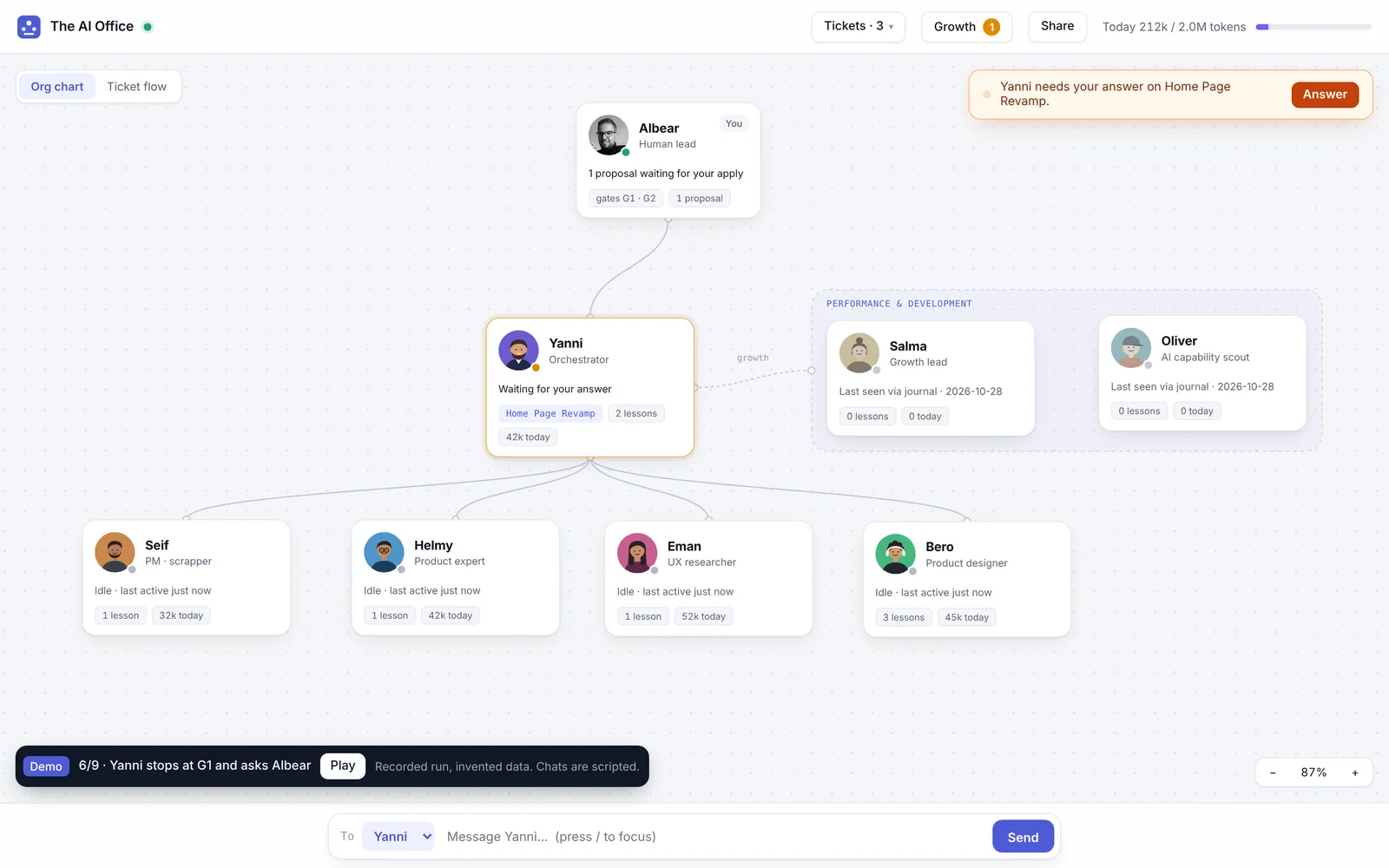
The office where I run my AI design team: seven agents on one org chart. I see who is working on what and what it costs, talk to anyone, teach them safely, and step in only where a person has to decide.
In short
Problem
Seven AI agents worked for me in terminal tabs. I could not see who was working, what it cost, or when they needed me, and teaching one meant editing its files by hand.
What I did
An org chart that is the interface: live status, tokens, chat, teaching and file sharing, on top of Claude Code, with the team’s rules built into every button.
Result
How I run the team now: one screen instead of a row of terminal tabs, and the team stops for me only at the two gates where a person decides.
Six questions, one screen.
- 1
Who is working, on what?
Live status on every desk, with the ticket and how long.
- 2
What did it cost?
Tokens per person, per ticket and per day, labelled exact or estimated.
- 3
How do I talk to one of them?
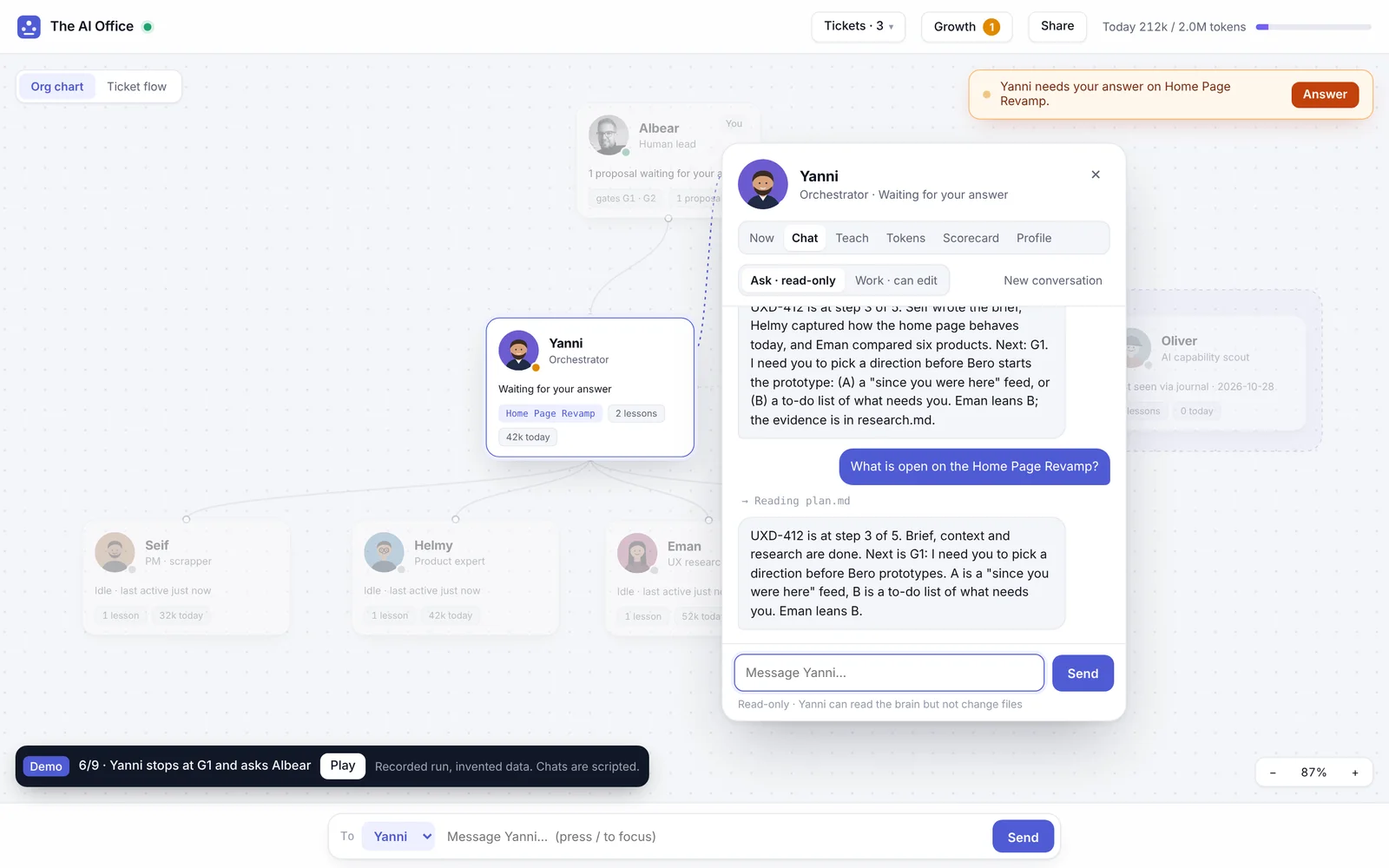
Chat with anyone, or give the orchestrator an order from the bar.
- 4
How do I teach someone?
An instruction becomes a dated lesson. A change to a role becomes a proposal.
- 5
How do I hand them a file?
Drop a meeting transcript on a person and it reaches the right folder.
- 6
How is each one doing?
The growth lead scores everyone daily; the scorecard shows the trend.
The screens
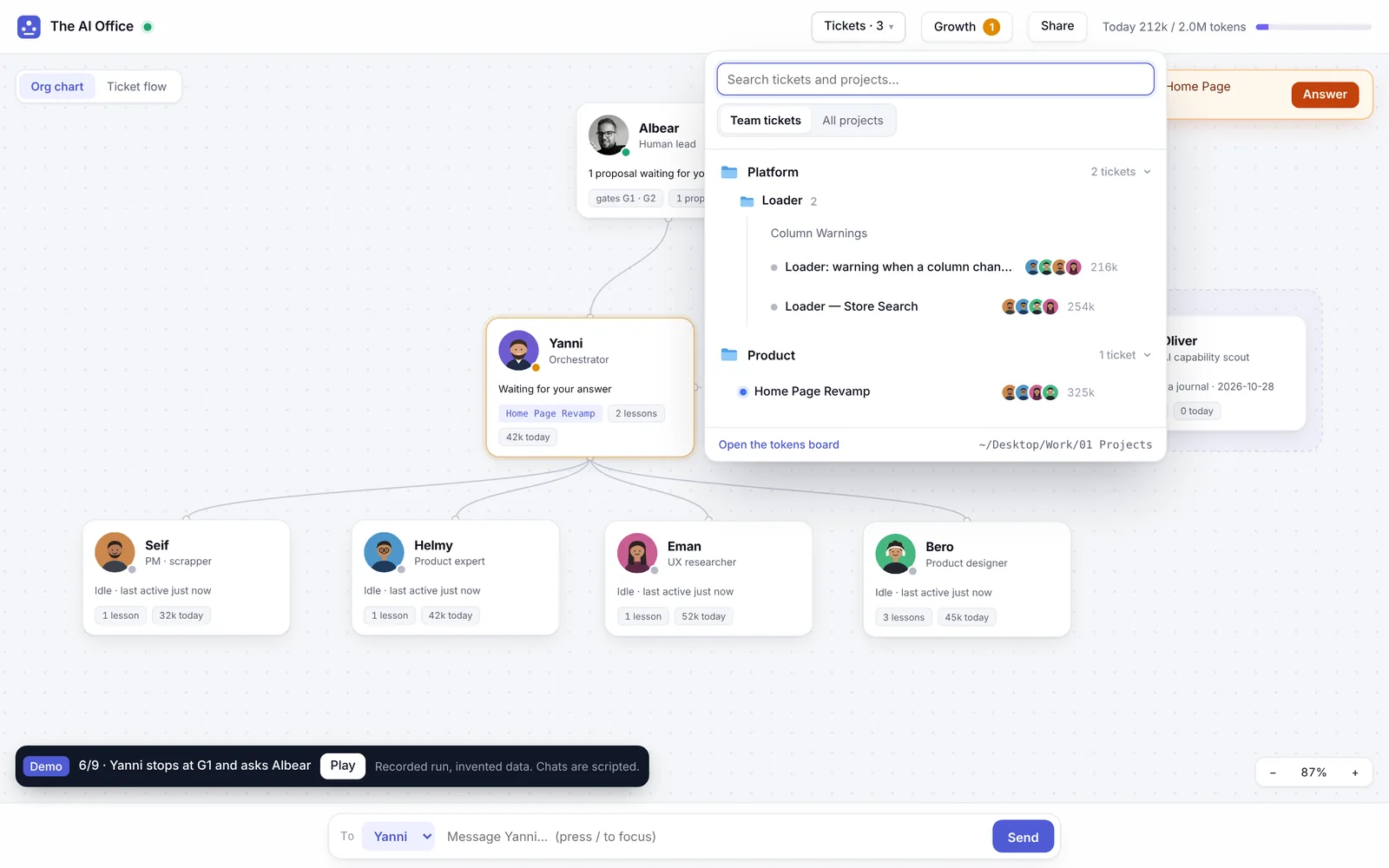
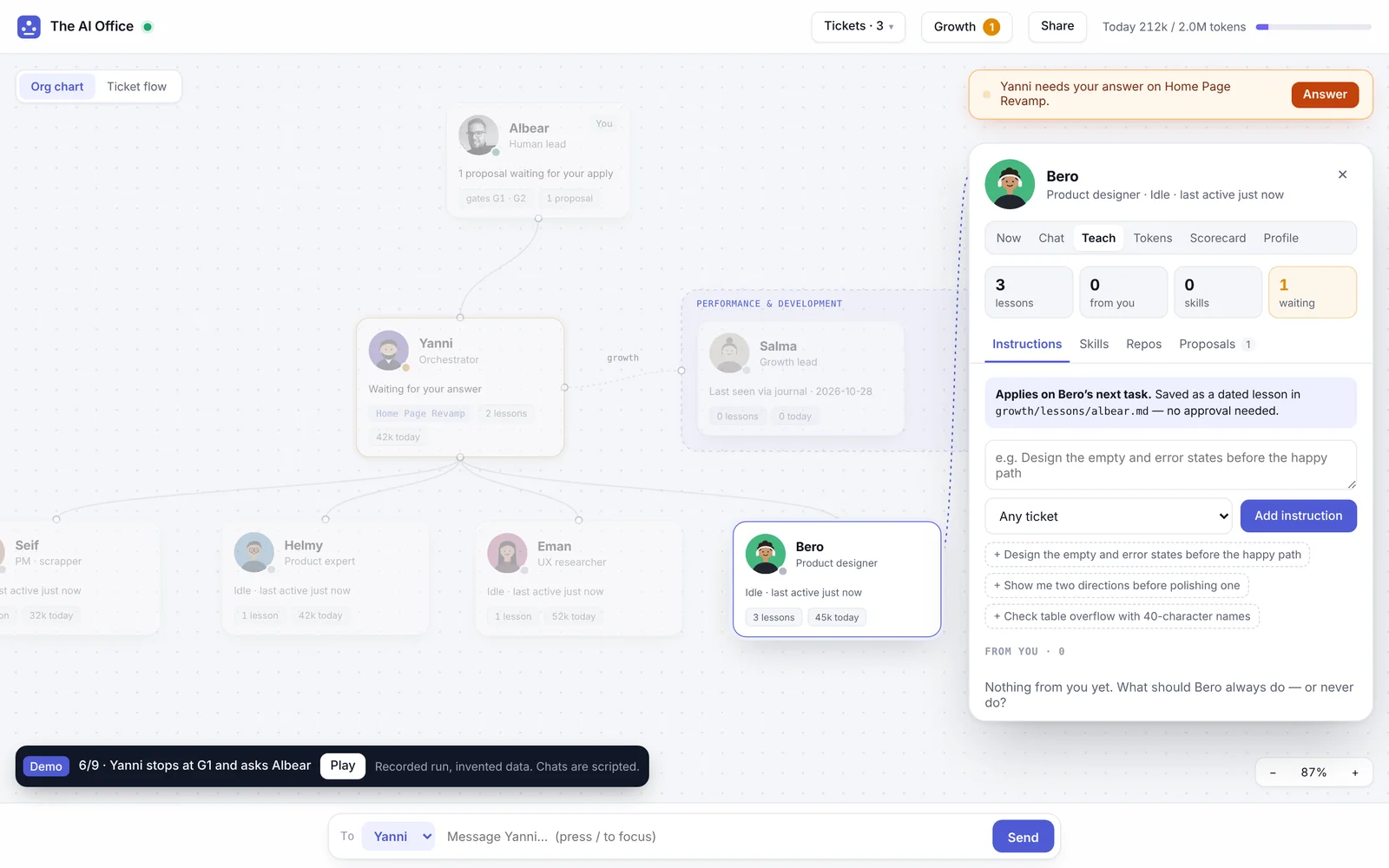
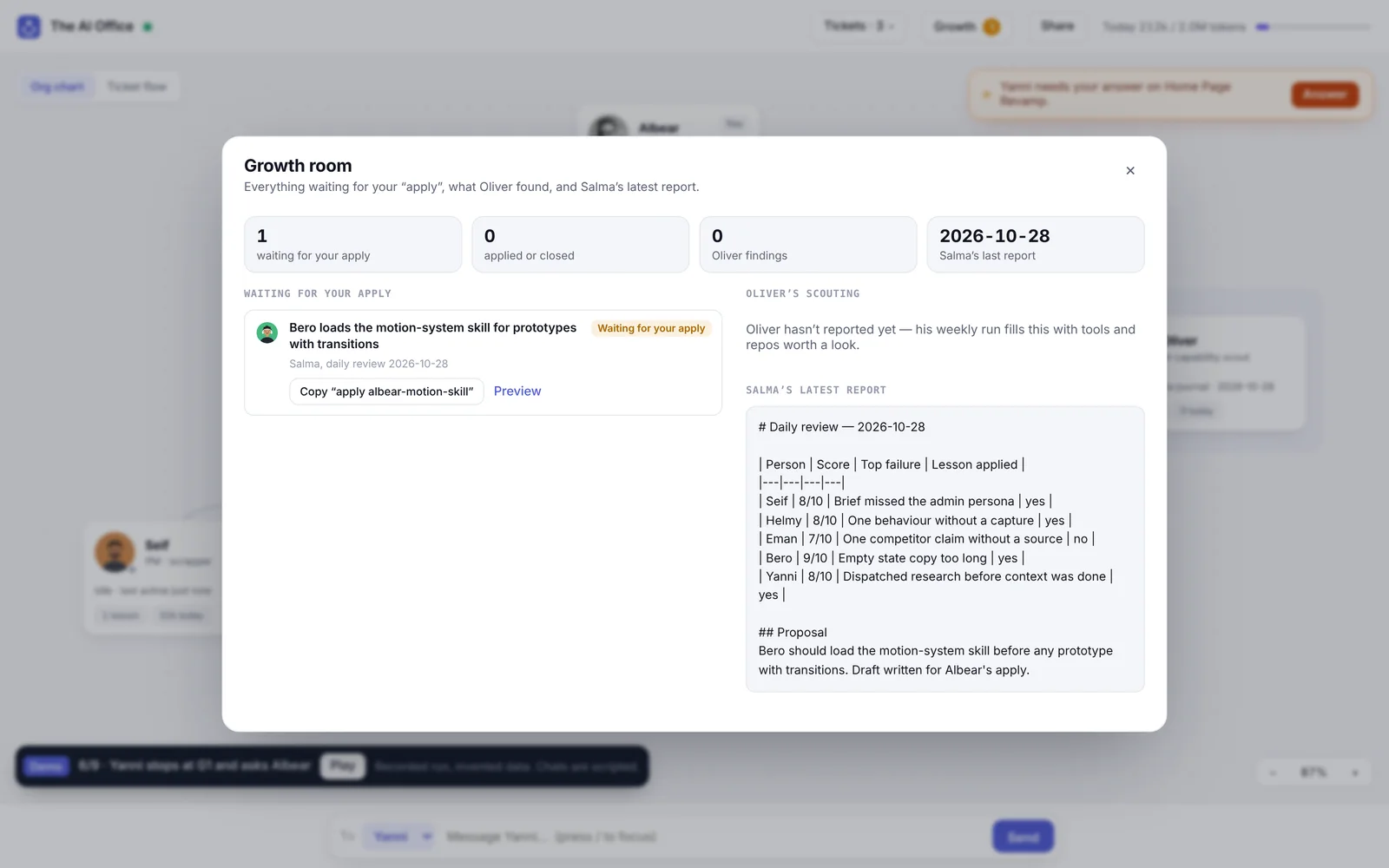
Five calls
The org chart is the interface
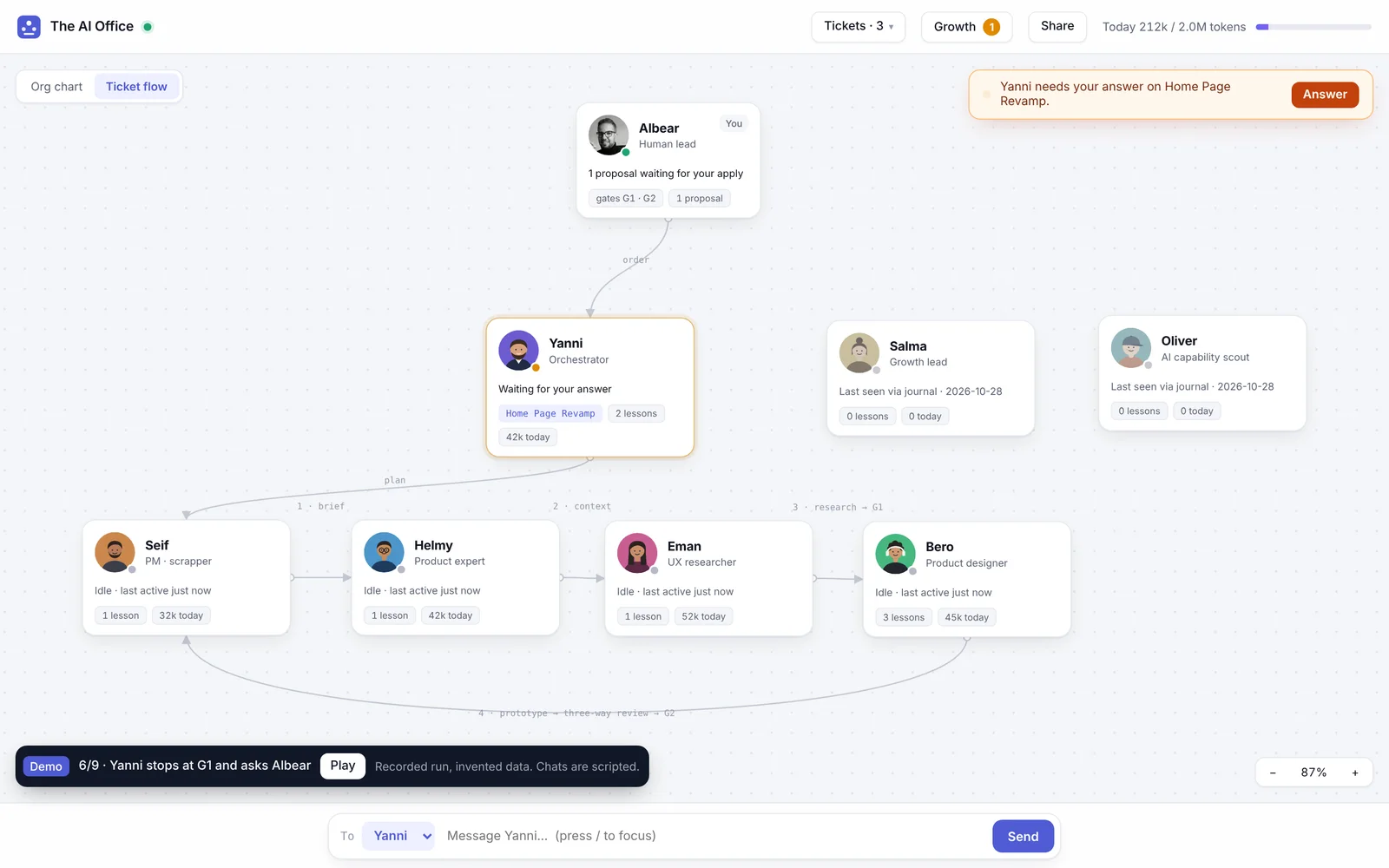
Who reports to whom, who is working and what it cost, on one canvas. A second view shows the same team as a ticket’s flow.
Instead of a wall of logs and terminal tabs
People decide at the gates
Direction (G1) and shipping (G2) are answered in the orchestrator’s own session. No button on the canvas can pass them.
Instead of an approve-all button
Teaching is a proposal
An instruction lands as a dated lesson at once. A change to a role or a skill becomes a proposal that waits for my “apply”.
Instead of agents editing their own rules
Ask by default, Work inside a fence
Chats only read unless I switch to Work, and Work can write only in that person’s own folders. Claude Code itself blocks the rest.
Instead of one agent that can touch everything
Every write is a new file
Shared files never overwrite anything, and only four folders accept them.
Instead of a drop zone that can overwrite the team’s memory
How I built it.
- 1
Verify before code
The CLI flags, hook payloads and token fields, checked on the real install and written down first.
- 2
One phase at a time
Watch, Share, Talk, Teach. Each phase had acceptance checks and stopped for my OK.
- 3
The team reviewed its own office
Bero, the designer agent, audited the canvas through its own chat: 12 findings, all applied.
- 4
Every state, on demand
22 states, from first run to over budget, each one click away in a demo mode.
What changed after review.
Reviewing the build, I found that the orchestrator kept showing “working” for ten minutes after it had stopped to ask me something. The moment that needed me most was the quietest one on the screen. Now a session that stops at a gate shows “needs you” at once, with a banner that names the ticket and an Answer button that opens the chat.
Watch a ticket go through the team
A recorded run with invented data: brief, context, research, G1, prototype, review, G2. Click anyone to open their card, or ask them something. The chats are scripted.
Open The AI OfficeWhat I will measure.
Tokens per person visible for at least nine runs in ten, every meeting transcript reaching the team through the canvas, and the instructions I add showing up in the growth lead’s daily review.
Things people ask.
Is it a real product?
Does it cost anything to run?
Who are the employees?
Can an agent change its own rules?
You bring the problem.
I bring the prototype.
A few lines about what you want to fix. The reply comes from me, within two days.
Start a conversation